A cycling computer is worth buying if you regularly follow unfamiliar routes, want ride data visible on the handlebars or train using heart rate and power. It earns its place by making those jobs easier while you ride. If you mainly cycle on familiar roads and only want a record of distance and time afterwards, a phone or a suitable sports watch may already do enough.
The choice is less about how seriously you take cycling than what you need to see and control on the bike. A leisure rider exploring unfamiliar lanes may get more use from clear mapping than a racer riding the same training loop. Equally, there is little benefit in paying for detailed training analysis if you never use it.
Start with your usual ride, the longest outing you expect to do and the equipment you already own. This guide explains the differences that matter, then points to our individual reviews so you can compare the compromises before buying. It is a buying guide, rather than a new head-to-head riding test of every model mentioned.
Cycling computer or phone: which makes more sense?
A smartphone can record a ride and provide navigation, depending on the app you use. It also gives you a familiar interface for finding a café, changing a destination or checking a route before setting off. For occasional rides, trying that existing setup first is a reasonable way to discover whether you actually need another device.
The practical question is what happens when the screen needs to stay visible for hours. Navigation, screen brightness and other phone use all draw on the same battery you may need for calls or the journey home. A handlebar-mounted phone also needs a secure mount and a setup suited to the weather. Check those costs before assuming the phone option is free.
A dedicated computer separates ride recording from your phone and puts a smaller, purpose-built display in front of you. That can make a long ride simpler, particularly when you want to glance at the next turn or a training target. It does add another device to charge, update and learn, so the convenience has to justify that extra routine.
If you already record rides with a watch, ask whether the missing feature is a handlebar display. A computer may improve access to maps and live data, but buying one solely to duplicate a ride recording you are happy with is harder to justify.
Choose navigation for the routes you ride
GPS recording and navigation are different capabilities. A computer can know where you rode without being able to calculate a useful route to a new destination. At the simpler end, breadcrumb navigation shows a line to follow. Full mapping provides surrounding roads and junctions, but the presence of a map does not establish how well the unit handles a missed turn.
Before buying, check whether you can import your usual route files, whether turn instructions are included and what happens when you leave the course. Some devices calculate a new route; others mainly help you rejoin the original track. Also check which functions work offline and which depend on a paired phone or internet connection.
For a sportive with a supplied route, straightforward course following may be enough. Touring and exploring unfamiliar areas place more emphasis on map readability, changing destinations and recovering from diversions. Look at the navigation section of a review rather than treating every product described as a GPS computer as equivalent.
Screen size matters when several roads meet at a junction, but so do contrast, map layout and the size of the labels. Consider how much of the map remains visible when ride data is displayed. A bigger unit is only useful if you can read the information you need quickly.
Which training features and sensors do you need?
A cycling computer displays and records information; it does not automatically measure everything listed on its data screens. Heart rate normally requires a compatible monitor, measured power requires a power meter or another compatible source, and cadence may come from a separate sensor or supported power meter. Include any missing sensors in your budget.
Check compatibility with the exact sensors you own. ANT+ and Bluetooth support are useful starting points, but individual features, sensor types and connection limits still vary. The same applies to radar lights, electronic gearing and smart-trainer control: do not assume that sharing a brand or wireless standard guarantees every function.
For structured sessions, look beyond the number of available data fields. Can you load the workouts you use, see the target clearly and move between intervals without struggling with the controls? Consider how the completed ride reaches your training platform and whether any connected services require a subscription.
More analysis is only valuable if it changes a decision. If all you need is a clear view of power, heart rate and interval time, a long list of recovery estimates and performance scores should not decide the purchase. Riders already using one training ecosystem may, however, reasonably pay more to keep their records and devices together.
Battery life, controls and the costs beyond the computer
Battery claims need context. A manufacturer’s maximum is not a promise for every combination of mapping, brightness, satellite settings, connected sensors and temperature. Choose enough margin for your longest likely ride, including stops and delays, and check how the advertised figure was obtained.
Controls deserve similar attention. Touchscreens can make moving around a map convenient, while physical buttons can be useful with gloves or when rain makes precise touches awkward. Neither approach guarantees good operation. Check reviews for the conditions you ride in and, if possible, try changing screens on a demonstration unit.
The companion app is part of the purchase. Consider the steps needed to import a route, change a data page, pair a sensor and upload an activity. A computer that looks straightforward on the bike can still be frustrating if preparing every ride takes several attempts. Check phone compatibility and the manufacturer’s support information before ordering.
Finally, inspect the mount and what is actually included in the box. Confirm that it fits your handlebar or existing bracket, allows room for cables and accessories, and holds the unit securely. Compare complete setups rather than a discounted head unit against a bundle containing sensors and mounts you would otherwise need to buy.
Cycling computers to compare before buying
There is no single winner for every rider. Use the following reviews to build a shortlist around your priorities, then compare current prices, the exact model and what is included. These are models covered on ProCyclingUK, not a claim that every one is the newest device in its manufacturer’s range.
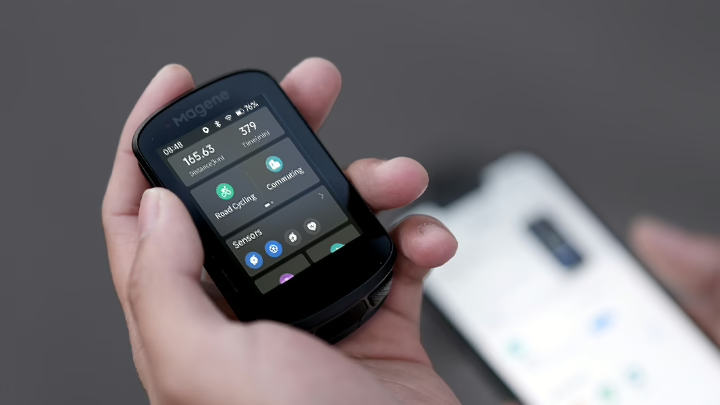
Magene C506: start with our Magene C506 review if you are considering a compact computer and want to examine its navigation, connectivity and training functions. Read it alongside the C606 review rather than assuming that the larger model is automatically the better purchase.
Magene C606: our Magene C606 review looks at navigation, sensor connections and practical limitations. Pay particular attention to the route-handling discussion if you plan long outings. Check the current firmware guidance for any limitation that could affect your own routes.
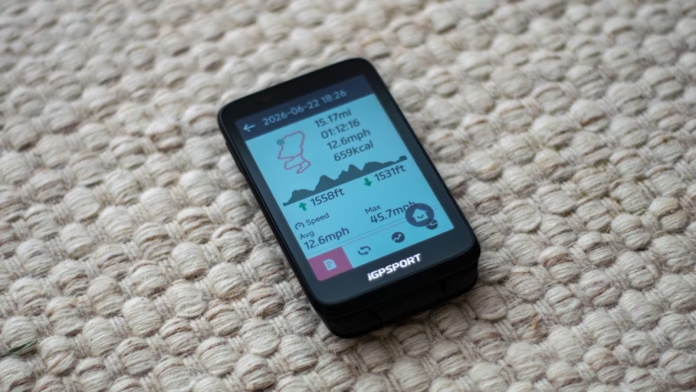
iGPSPORT BiNavi: the BiNavi review is a useful next read if navigation is your main reason for buying. It covers the display, route following, controls and app experience, including the compromises compared with Garmin. Check the exact product name when shopping, as BiNavi and BiNavi Air are distinct models.
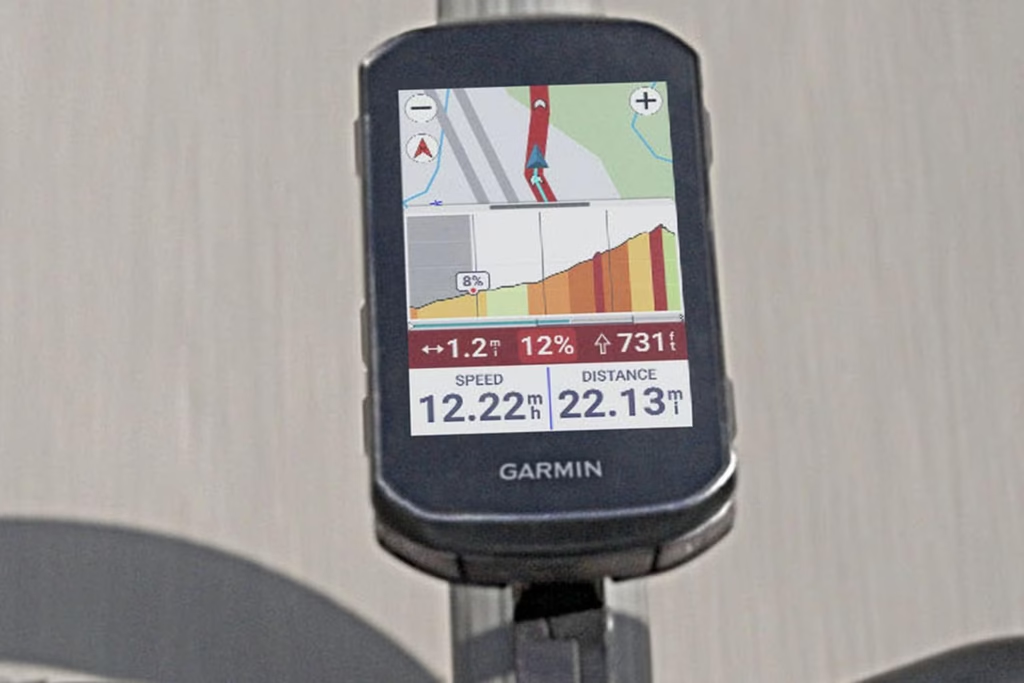
Garmin Edge 840 Solar: our Edge 840 Solar review examines another option for riders considering mapping and training within Garmin’s ecosystem. Treat it as a review of that specific generation and solar-equipped version. Compare the actual asking price with alternatives, and do not assume that solar charging removes the need to plug the computer in.
Wahoo ELEMNT BOLT: distinguish between generations when comparing listings. Wahoo’s current product page identifies the BOLT 3, with a 2.3-inch colour display, dual-band GPS and ANT+ and Bluetooth connectivity. Its compact format offers another approach to consider alongside larger mapping units. Check the current Wahoo ELEMNT BOLT listing for the exact version and regional buying options. This is an affiliate link, which may earn ProCyclingUK a commission.
A discounted older computer can still be a sensible purchase. Check battery condition if buying used, charging-port condition, mount wear, app compatibility and whether the manufacturer still provides the support you need. An old flagship is not automatically better value than a simpler newer model, especially if its original headline features are ones you will never use.
Before ordering, write down the three jobs the computer must do. For example: follow a supplied GPX route, display your existing power meter’s data and last through your longest weekend ride. Verify those jobs for the exact device, then compare the controls, screen and complete purchase cost.
Keep using your phone or watch if it already meets those needs comfortably. Choose a dedicated computer when it solves a recurring problem, such as awkward navigation, unreadable ride data or the inconvenience of relying on your phone throughout a long day. Buy enough capability for your riding, with room for realistic plans, rather than paying for a specification sheet you will rarely use.
-
 Photo Credit: Lucas Abad (Canyon SRAM media release)
 -
 Photo Credit: SKS Germany
 -
 Photo Credit: David Pintens / BELGA MAG/AFP via Getty Images