A large cycling computer used to be a fairly reliable indication of a large bill. The iGPSPORT BiNavi challenges that relationship. It has a 3.5-inch touchscreen, detailed mapping and a claimed 35-hour battery life, yet its UK price sits below the smaller Wahoo ELEMNT BOLT 3. The Wahoo is not necessarily poor value as a result. The BOLT has always been aimed at riders who want information in a compact package, rather than a miniature satnav taking up much of their cockpit.
For a cyclist choosing between these two computers, the interesting distinction is how much they interact with the device during a ride. Someone following a route through unfamiliar lanes has different requirements from someone doing a series of threshold intervals on roads they know well. The BiNavi makes a persuasive case for the former, while Wahoo’s combination of physical controls and a relatively simple interface remains attractive for the latter.
This is a research-led comparison using manufacturer specifications, UK retailer listings and independent riding tests, including Cyclingnews, PEZCycling News, road.cc and BikeRadar. ProCyclingUK has not carried out a controlled simultaneous test of these two units. Battery and weight figures are manufacturer claims unless otherwise stated.
iGPSPORT BiNavi vs Wahoo ELEMNT BOLT 3 specifications
| Feature | iGPSPORT BiNavi | Wahoo ELEMNT BOLT 3 |
|---|---|---|
| UK reference price | £219.90 manufacturer | £299.99 manufacturer |
| Screen | 3.5-inch colour touchscreen | 2.3-inch colour TFT, buttons only |
| Controls | Touchscreen and six buttons | Six physical buttons |
| Claimed battery life | Up to 35 hours | Up to 20 hours |
| Weight | 103g claimed | 84g claimed |
| Satellite positioning | Dual-band GNSS | Dual-band GNSS |
| Maps | Offline maps and rerouting | On-device maps and rerouting |
| Sensors | Bluetooth and ANT+ | Bluetooth and ANT+ |
| Charging | USB-C | USB-C |
The table refers to the original BiNavi, not the BiNavi Air or the more expensive BiNavi Ultra, and the third-generation BOLT rather than the BOLT 2. At the reference prices, the BiNavi costs £80.09 less. That difference is enough to pay for a useful accessory or make a sizeable contribution towards the cost of a power meter. It is worth checking actual retailer prices, though, because seasonal offers can change the gap considerably.
How much difference does a larger map make?
The BiNavi’s 3.5-inch screen gives it an immediate advantage if you frequently need to look at several junctions at once. A road name and directional arrow may be enough on a straight stretch of road with an obvious turning. In a town centre with several roads leaving a roundabout, however, more space for the map means you can see the intended exit and the surrounding road layout together. The same applies to gravel riding, where several tracks may diverge within a few metres of each other.
The BOLT’s 2.3-inch TFT screen is considerably smaller but that does not mean it is difficult to read. BikeRadar’s test highlighted the improved sharpness and contrast of the third-generation display. A compact computer can show the numbers a rider actually needs with minimal distraction, especially when the data fields have been sensibly configured. The compromise becomes apparent when a map, directions and multiple riding metrics need to share the screen.
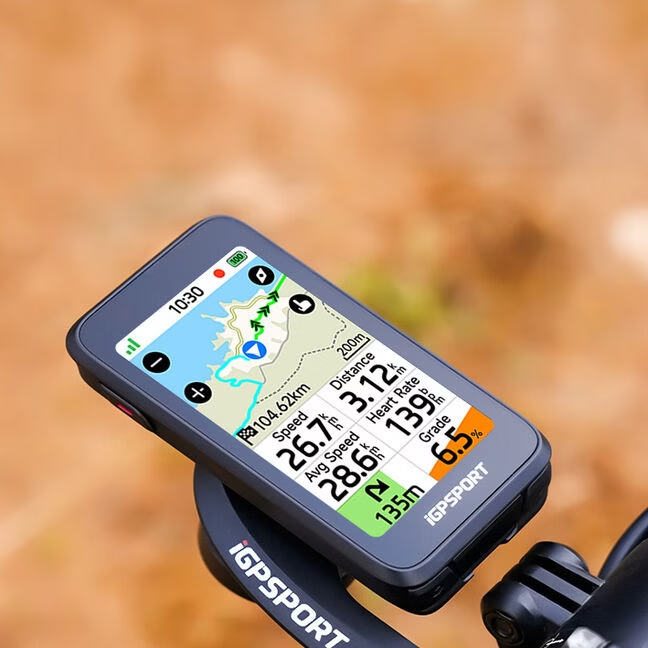 Photo Credit: iGPSPORT
The BiNavi also offers touch control in addition to buttons. It is a useful distinction because mapping is one area where touch input often makes more sense than cycling through menus. It is possible to examine a route before setting off without repeatedly pressing a zoom or navigation key. Neither the greater screen area nor the touchscreen guarantees better directions, though. The software needs to make good decisions about which details to present and when.
Navigation, route planning and missed turns
Both computers have offline mapping and can guide a rider along a prepared route. The BiNavi’s manufacturer places particular emphasis on navigation prompts, route analysis and its off-course recovery system. Cyclingnews’ review found that the device performed credibly against more established brands, while PEZCycling News reported that the rerouting worked comparably to other familiar cycling computers in its testing. The latter noted that the suggested return to the route was not always the one an experienced local rider would choose.
That is an important qualification for both brands. Cycling routing software does not always know whether an apparently suitable path is currently muddy, gated or unsuitable for a particular bike. If you deliberately leave a route to visit a café, you may not want the unit to instruct you to return to the same junction. On a quiet lane, a simple U-turn can be acceptable; on a busy dual carriageway it may be neither practical nor safe.
Wahoo has long favoured a workflow built around importing routes from other services and following them on the computer. BikeRadar found the BOLT’s route synchronisation from Komoot straightforward but also highlighted limits in its own route-planning tools and the readability of some navigation prompts away from the map page. For someone who already plans every ride in Komoot or Ride with GPS, the first criticism may be largely irrelevant. A rider who expects the device and its associated app to handle every part of route creation should investigate the workflow in advance.
If navigation is the main reason for upgrading, the BiNavi deserves serious consideration rather than being dismissed as a cheaper alternative. Its extra display space is a permanent physical advantage. If the route is usually familiar and the map is only consulted occasionally, Wahoo’s established approach may be all that is required.
Battery life for training, touring and winter
iGPSPORT quotes up to 35 hours for the BiNavi, compared with the 20 hours specified in Wahoo’s current BOLT 3 support documentation. The difference is useful but should not be treated as a measured 15-hour advantage in every scenario. Brightness, satellite mode, mapping, sensor connections and temperature all influence runtime. The two manufacturers’ headline figures are not necessarily generated under identical conditions.
BikeRadar reported a BOLT 3 battery drain of approximately five per cent an hour with navigation, connected sensors and automatic brightness in its own test. That is consistent with roughly 20 hours under those conditions, rather than a guarantee of the same outcome on a cold, dark ride. For ordinary training of five or six hours a week, there should be little difficulty finding an opportunity to recharge.
The BiNavi’s larger claimed reserve becomes more relevant to a rider doing a Saturday century followed by another long outing on Sunday. Someone away for an audax or touring weekend may also prefer to leave the computer connected to sensors and navigating throughout the day, rather than managing battery settings to extend runtime. Both charge through USB-C, so a suitable cable and power bank can mitigate the issue when touring. It still makes sense to charge before setting off rather than relying on the headline figure.
Physical buttons, touchscreens and cockpit space
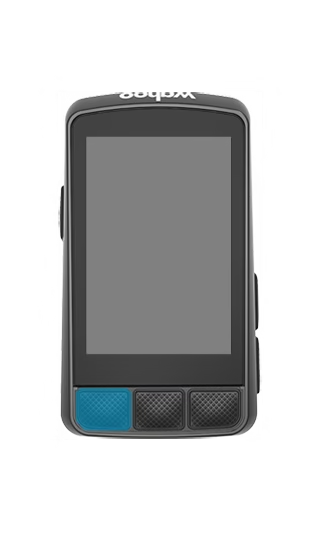 Photo Credit: Wahoo
A touchscreen is not always the more convenient control method on a bike. Rain and thick gloves can make small targets awkward to select, and a button is often easier to find by feel when your eyes are elsewhere. The BiNavi’s six buttons give it an alternative to touch input, which is useful in those circumstances. Wahoo’s six-button layout is the only means of directly controlling the BOLT, so the whole interface is designed around that approach.
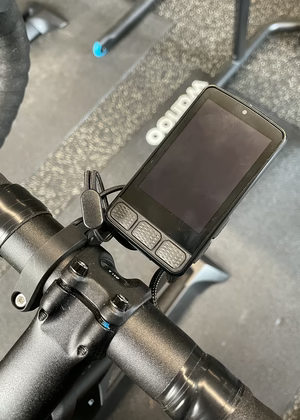
The physical size of the BOLT is part of its appeal. It weighs a claimed 84g, against 103g for the BiNavi, and it occupies less space in front of the stem. Nineteen grams is unlikely to determine the outcome of a race, but a compact head unit can make it easier to accommodate an out-front light or a small handlebar bag. Before ordering either unit, check the mount included in the package and what is compatible with your specific integrated cockpit. Do not assume every quarter-turn mount shares the same interface.
The decision for a racer is therefore more about the form factor than absolute weight. A rider using two or three training pages and rarely looking at the map may prefer a smaller device. A touring rider who wants larger text, a wider map and more options to interact with the screen may be happy to give up some of that space.
Training data and choosing an ecosystem
Neither computer needs to be purchased with a collection of sensors from its own brand. Both support common Bluetooth and ANT+ cycling sensors. If you already own a compatible heart-rate strap, cadence sensor or power meter, it makes sense to check the manufacturer’s specific compatibility list before replacing any equipment. The same applies to rear radar and electronic shifting integrations.
Wahoo’s phone-led configuration is well established. BikeRadar found the BOLT easy to set up and its straightforward approach can be particularly appealing to someone moving from an older ELEMNT. The familiarity has value if it avoids having to reconstruct settings, routes and training pages. The BOLT 3 uses the current Wahoo app, so it is also worth checking how the transition works if you have an older model.
The BiNavi has its own app and training features, including the iClimb system for displaying upcoming gradients. A climb profile is useful on a long ascent because a rider can budget their effort rather than responding only to the road immediately ahead. It is not a substitute for knowing how to pace a sustained effort, but it can be helpful on a first visit to an unfamiliar climb. Whether those additional functions justify switching depends on what you already use for planning and analysing training.
Price and availability in the UK
The iGPSPORT UK store lists the standalone BiNavi at £219.90. The Bike Factory’s exact BiNavi listing showed £219.99 and stock when checked for this comparison. The Wahoo UK listing gives a £299.99 reference price, while Sigma Sports listed the BOLT 3 at £299 with delivery stock. These are direct links, not affiliate offers. Prices and stock can change; compare the standalone unit and the bundle contents at checkout.
If the BOLT is significantly discounted, that changes the value argument but not the physical difference between the computers. The BiNavi is worth considering even at a similar price if you want more screen area. Equally, buying a big display purely because it is cheap is unlikely to be satisfying if you never use the additional space.
Which computer is the better buy?
The BiNavi is the stronger value proposition for cyclists who prioritise unfamiliar routes, larger maps and battery reserve. Its lower reference price is difficult to ignore, especially given the broadly encouraging independent testing. Buyers should still be comfortable with the app and navigation behaviour of a less familiar ecosystem.
The BOLT 3 makes more sense for riders who prefer compact equipment, button-only operation and a relatively unobtrusive training computer. It is particularly compelling if they already have Wahoo equipment or use the same route and workout services. Its smaller display and shorter battery claim are deliberate compromises that will matter much more to some riders than others.
For more detail on the individual devices, read our iGPSPORT BiNavi review and Wahoo ELEMNT BOLT 3 review. The UK GPS computer guide under £250 puts the BiNavi in context with other budget alternatives. If your priority is navigation rather than minimal cockpit space, the cheaper of these two computers may also be the more useful one.
-
 Photo Credit: ProCyclingUK archive (original photographer unverified)
-
Photo Credit: ProCyclingUK archive (original photographer unverified)
-
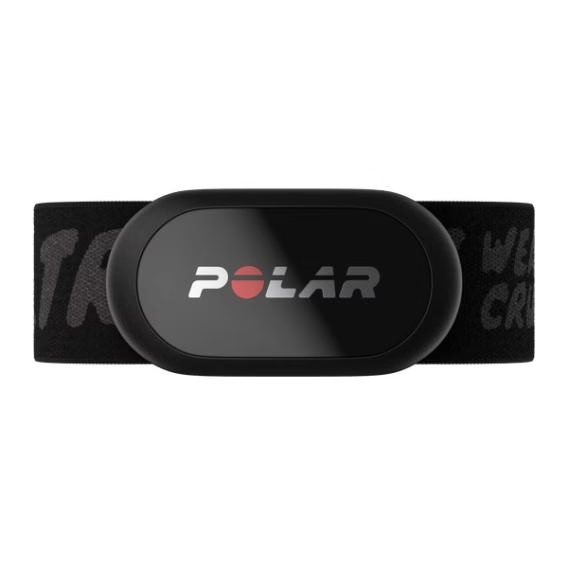
 Photo Credit: Polar